Back
The Clarity Platform

Go From Chaos
to Clarity.

One platform for data quality and report adoption that makes Power BI and Microsoft Fabric even more valuable. Clean data, reports that get seen.

CLARITY

One reliable data source sounds simple.
Almost no organization pulls it off.

Power BI is powerful, but it can't solve everything on its own. Tools get hacked together or ignored. Spreadsheets fill the gaps. And data quality goes nowhere.

No Real Data Governance

Data management lives in local mapping tabs. There's no security, no audit trail, and no way to control who sees what.

Spreadsheets Doing Too Much

File conflicts, editing collisions, and processing bottlenecks. SUMIF formulas are doing the work of an entire data platform.

Power BI Alone Falls Short

Too many clicks to reach the right data. Reports live in disconnected workspaces. Power users love it. Everyone else struggles.

File Conflicts & Ownership

"Can you get out of the file? I need to update it." Nobody knows who changed what, or whether they're even looking at current data.

Report Sprawl

Too many reports, not enough clarity on which ones matter. Teams can't tell what's useful, what's outdated, or where to focus next.

Security by Spreadsheet

Data access handled manually. Pre-filtered files passed around marked "do not share." Sent to 15 different people.

Create it once.
Use it everywhere.

Databook solves the data quality problem. Reportbook solves the report adoption problem. Designed to make Power BI and Microsoft Fabric even more valuable, without the enterprise price tag or the six-month rollout.

Data Quality Solution

Clarity Databook

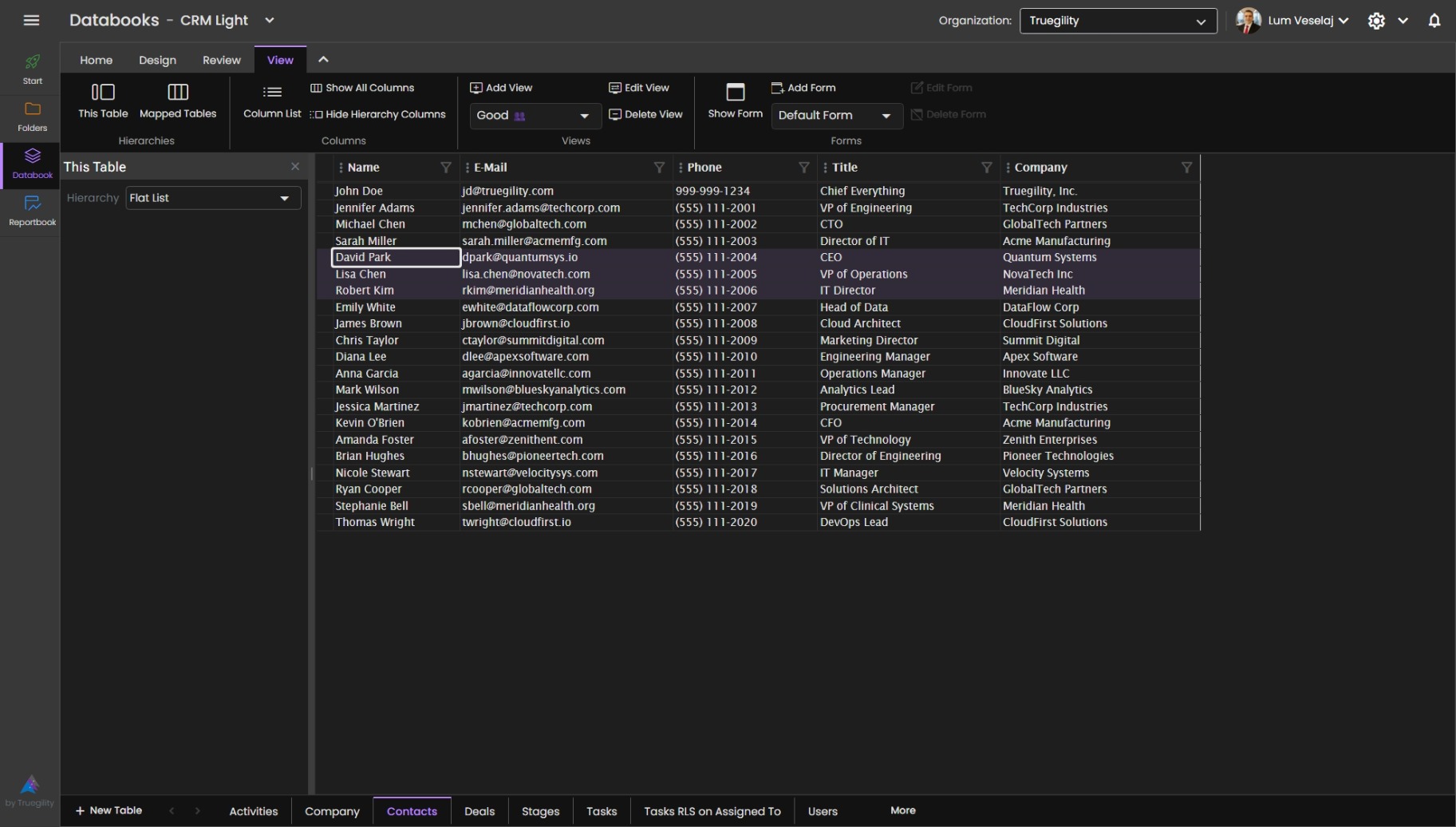
Keep your data consistent without the headache. Databook sits on top of Microsoft Fabric and gives non-technical users a safe, simple way to manage reference data that flows straight into Power BI.

1
Security Row, object, and user-level permissions. Share one link with everyone. The system handles the rest.
2
Custom Hierarchies Drag-and-drop hierarchy building, shared across your organization instantly. Relationships stay intact even when names change.
3
Table Creation & Input Replace local Excel files with governed cloud tables. Form inputs flow directly into your reporting and storage layers.
4
Multi-Domain Mapping Build lasting relationships across data sources. Connect domains with full lineage tracking built in.
5
Governance Simplified Cloud-based governance with full lineage. Every change tracked, every row audited, all automatically.
Explore Databook
Clarity Databook interface
Report Adoption Solution

Clarity Reportbook

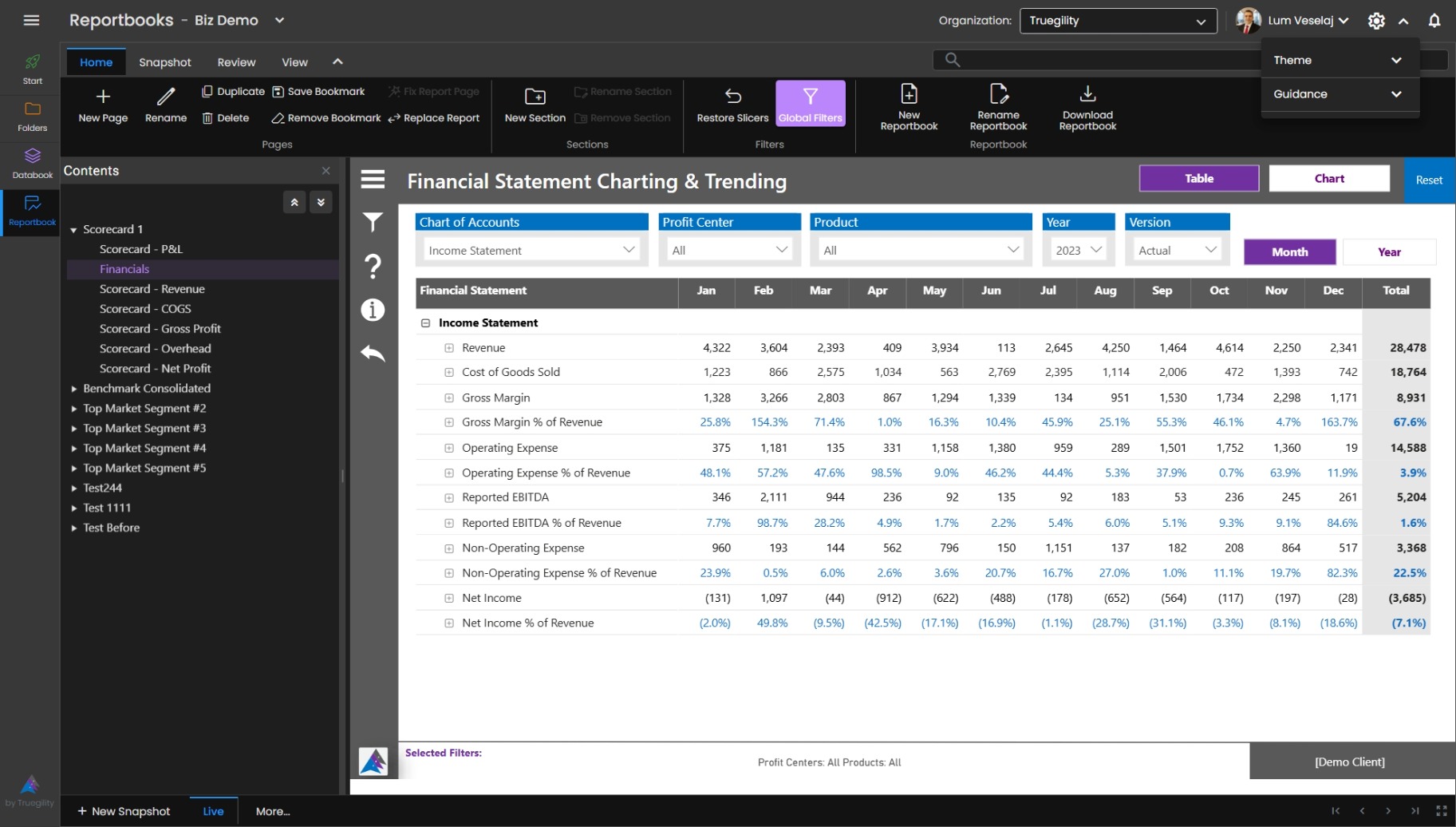
An enhancement layer on top of Power BI that makes it easy to customize, group, and share the reports you already have. Finally, data presentations that are actually fit for purpose.

1
Global Filters Filters that persist across pages, reports, and even workspaces. Set them once, explore everywhere.
2
One-Click Customization Favorites, recents, and pre-set views. Fast customization for owners, builders, and everyday users alike.
3
Cross-Workspace Apps Pull reports from multiple workspaces into one dashboard, without the complexity. A layer above workspaces that enables real-time data access.
4
Snapshots Capture a point-in-time view and push it straight to PowerPoint. Viewers don't need a Power BI license.
5
Usage Monitoring Track usage by report, page, user, and group. Know exactly which reports matter and to whom.
Explore Reportbook
Clarity Reportbook interface

Everyone gets what they need.

Clarity meets data teams, business teams, and leadership where they are.

Data Teams

  • Manage data in governed cloud tables, not scattered files
  • Cut report sprawl and simplify lifecycle management
  • Stop wrestling data out of disconnected workspaces
  • Governed tables that feed directly into reporting, with local input
  • See who uses what, so you can prioritize with confidence

Business Teams

  • See data the way you actually run your business
  • Spend less time reconciling across platforms
  • Build and share custom views on your own
  • Get to your Power BI data without endless clicking

Leaders

  • Teams spend less time wrangling data and more time driving results
  • Get customized views without waiting days for someone to rebuild them
  • Affordable master data management that sets the foundation for AI

One platform.
Zero compromises.

Built on Power BI and Microsoft Fabric, at the intersection of business know-how and technical expertise. Most mid-market companies need this but assume they can't afford it. That's exactly where we come in.

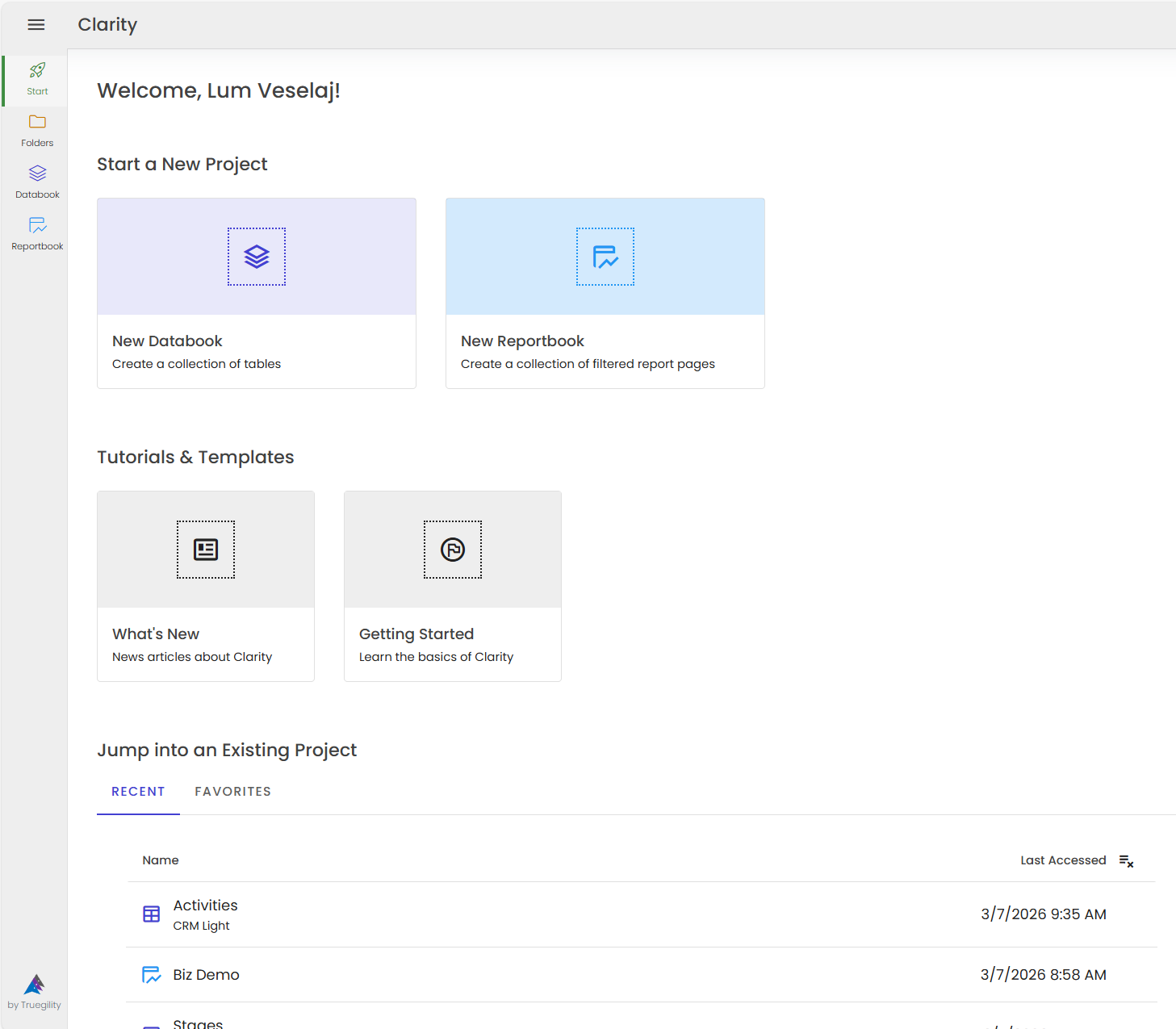
Clarity Platform start page

Common questions, honest answers.

We've heard every variation of "how is this different?" Here's the straightforward breakdown.

How is it better than Excel?

For data management and performance tracking

Common Issues
  • No cross-team master data management. SUMIF formulas carrying the weight of an entire data layer.
  • Files hit processing limits as data volumes grow.
  • Frequent breakages during updates. Nobody told you the ERP hierarchy changed.
  • Multiple people editing the same file rarely ends well.
  • Security and access controls handled manually.
  • No way to tell who changed what, or when.
How Clarity Helps
  • Hierarchies that update everywhere, in real time, the moment someone makes a change.
  • Cloud-based processing powered by SQL and Power BI. No more file-size limits.
  • Relationships stay intact when names change. Non-technical users can manage data safely.
  • Built for scale and concurrent use. Full lineage shows every change: who, what, and when.
  • Row, object, and user-level security. Share one link. The system controls access.
  • Every change tracked automatically. See exactly what changed, when, and by whom.

How is it better than Power BI alone?

For Power BI App users

Common Issues
  • No cross-team master data. Semantic models stay siloed for performance reasons.
  • Too many clicks to get to the view you need.
  • Workspaces cluttered with reports nobody can navigate.
  • No write-back capability, so you juggle multiple tools at once.
  • Reports take too long to refresh. Leadership won't wait.
  • Only licensed users can view reports.
  • The built-in PowerPoint export works about half the time.
  • No easy way to tell which reports matter to which teams.
How Clarity Helps
  • Non-technical users can manage data safely. Hierarchies and relationships update everywhere, automatically.
  • Global filters carry across reports, pages, and workspaces. Less clicking, more thinking.
  • Navigation you control. The right reports, ready in one click instead of twenty.
  • Table inputs flow directly into your reporting and storage layers.
  • Smarter data localization for near-instant access. Up to 95% faster.
  • Snapshots capture a point-in-time view of business performance. Viewers don't need a license.
  • Reliable PowerPoint automation by removing the refresh bottleneck.
  • Usage monitoring by report, page, user, and group. Clear picture of where to invest and what to retire.

What about AI?

Won't AI replace the need for this?

Common Concerns
  • Using AI without clean data? You already know the problem. Garbage in, confident garbage out.
  • Thoughtful design and governed data connections are still the real multipliers. In fact, they matter more now than ever.
  • AI point solutions create new data silos. The more you scale AI, the bigger your data problem gets.
How Clarity Helps
  • Clarity is an AI enabler. It provides the clean, governed data that AI tools and workflows need to perform.
  • Put your governance in a governed place, not inside an AI black box you can't control.
  • Connect to and from AI sources with a central control layer. One place where IT teams and business users meet to govern, standardize, and scale.
  • Even if you haven't designed the house yet, clearing and leveling the land is still the right first step. Clarity gives you that foundation.

Go from chaos to clarity.

Let's have a no-pressure conversation about where you are today and where you want to go. We'll meet you wherever that is.